
Summary
- Zorin OS 18 is based on Ubuntu 24.04.3, has Linux kernel 6.14 and supports until 2029;
- Distribution has a similar interface to Windows 10, and can attract users looking for alternatives to this system;
- Zorin OS 18 supports Windows applications via Wine 10.0 and offers Core (free), Pro (paid) and Education (free) versions.
October 14th marked the end of support for Windows 10. But the date also served for the launch of Zorin OS 18. Coincidence? Probably not. The new version of the distribution arrives precisely with the proposal to replace the now discontinued Microsoft operating system.
What does Zorin OS 18 offer?
Zorin OS 18 is based on Ubuntu 24.04.3, has a Linux 6.14 kernel and offers long-term support (LTS), guaranteed until June 2029. The differences between the two projects are visible in the standard desktop environment: Zorin OS 18 has a heavily modified implementation of Gnome 46.

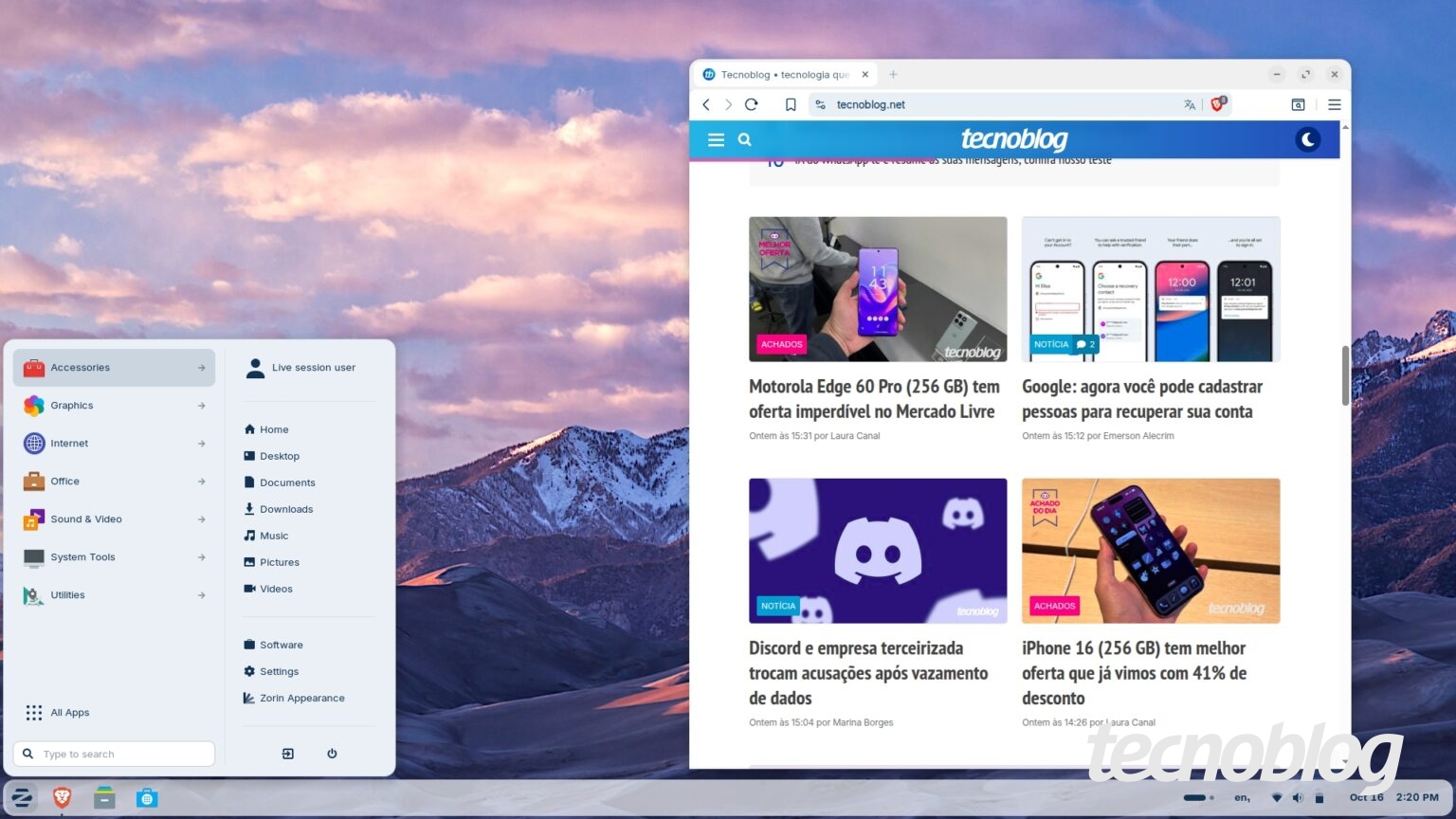
This modification gives the interface an organization reminiscent of Windows 10. There is a kind of taskbar with a start menu on the left, while the right side houses the clock, as well as shortcuts for basic functions, such as audio and Wi-Fi network controls.
Equally or more interesting are the window organization options that Zorin OS 18 offers, a useful feature especially for those who have a monitor or notebook with a large screen. Just drag one of the open windows to the top and the organization options appear immediately. Then, just choose the one you like most.

Still on the interface, the default Zorin OS 18 theme displays a white and gray background, and folders and selection elements in blue. But it is also possible to choose a theme with details in yellow, as well as another with elements in shades of brown. All themes, including the default one, have a dark mode.
The distribution also comes with a good set of applications, such as the Brave browser, the LibreOffice suite, and native calculator, calendar and file management tools.
The operating system also offers Web Apps, a mode well known in the Linux Mint distribution that transforms any website into a desktop application.
The support for Windows applications draws more attention, thanks to the incorporation of Wine 10.0 into Zorin OS 18, a feature that should help users who are coming from Windows 10. Despite this, the distribution is able to recommend native alternatives for Linux, when available, whenever the user tries to install software for Windows.

How to download Zorin OS 18?
The distribution has two main versions. Zorin OS 18 Core is the free option, which brings the most essential features and is therefore capable of serving most home users.
Zorin OS 18 Pro costs US$47.99 or, in Brazil, R$199 (there may be variations in this value due to conversion to euros), and offers a larger package of resources, including extra themes, more customization options and advanced support. This is an option that helps finance distribution.
There is also Zorin OS 18 Education, which is also free and, as the name suggests, brings tools aimed at students.

All options can be downloaded from the Zorin website. After downloading, simply use a tool like Rufus to create an installation pendrive.
Those who already use Zorin OS 17 just need to wait. Automatic update to version 18 will be available soon.
In time: Windows 10 is no longer supported by Microsoft. This means that the operating system will no longer receive regular updates.
Source: https://tecnoblog.net/noticias/zorin-os-18-distro-linux-chega-com-proposta-de-substituir-o-windows-10/